Video Strategy
Business video scripts and storyboards
Plan a business video from one clear answer through spoken script, visual sequence, factual review and production handover.
A business video script sets out what the viewer needs to hear. A storyboard sets out what they need to see. Develop them together: write one clear answer, match each part to an image or action, and check that the sequence does not hide important conditions.
Developing a Business Video: From Answer to Production
- Start with a clear answerDefine the viewer's question and the accurate response the video will deliver, ensuring it leads to a specific decision or action.
- Gather verified factsCollect product steps, service inclusions/exclusions, claims, and supporting evidence; mark uncertain information for review.
- Draft script for speech and sightWrite concise spoken lines, match each to a visual, and use a four-column format to track question, answer, result, and next step.
- Create a visual sequence (storyboard)Design panels showing subject, action, and framing; number them and link to dialogue; ensure visuals don’t misrepresent conditions.
- Review for understanding and accessibilityCheck that non-sighted or non-hearing viewers can follow the message; avoid flashing content and ensure captions reflect all key information.
- Plan access and approvalFinalise caption requirements, distinguish captions from subtitles, confirm player support, and document approvals and version control.
Start with an answer
Write down the viewer’s question and the answer the video can accurately give. Then name the decision or action the viewer should be able to make. “Explain our service” is too broad. “Show what happens after a customer submits an enquiry” gives the writer a sequence to build.
Gather approved facts before writing dialogue: product steps, service inclusions and exclusions, names, and claims needing evidence. Mark what is uncertain. For an Australian business, check the impression created by the whole video as well as individual lines. A condition tucked into an end card may conflict with the main message.
Check claims before approval
For each product or service claim, ask the reviewer to check that the business can back it up. The ACCC says it can require businesses to substantiate claims and may investigate and take compliance or enforcement action if a business misleads.
Check the impression created by the words and images together, not just whether each line is accurate in isolation. If a storyboard frame makes a result appear certain when the script describes a condition, revise one or both before approval.
Pre-Approval Checklist for Business Video Claims
- Can the business substantiate every claim?Yes / No
- Is the impression created by words and images consistent?Yes / No
- Are conditions clearly visible and stated?Yes / No
- Is the final outcome shown without implying certainty where conditions apply?Yes / No
- Has the ACCC’s guidance on misleading claims been reviewed?Yes / No
Write for speech and sight
Draft the spoken answer in short, complete thoughts. Read it aloud to find sentences that are difficult to say. Use terms the intended customer knows; explain any technical term they need to understand.
Next to each spoken point, write what the visual must do. It might identify a speaker, show an action, display a relevant document or reveal a result. If the picture merely repeats the narration, simplify it. If a listener could understand “this option” only by seeing its name on screen, name the option in the script.
Use four columns:
| Spoken point | Image or action | Essential detail | Approval check |
|---|---|---|---|
| State the customer’s question | Show the situation | Who and what the video concerns | Is the question specific? |
| Give the answer | Show the person, product or process | The actual step or claim | Is it supportable? |
| Show the result | Hold on the outcome | What changed or remains limited | Can the viewer inspect it? |
| Explain the next step | Show a suitable closing image | What to do and any condition | Does the ending match the answer? |
An interview may need a question outline and selected answers instead of fully scripted speech.
Check the spoken draft for jargon, acronyms and idioms that could confuse a viewer; avoid them or explain them. Clear, unambiguous wording helps the viewer follow the answer and gives captioners language they can represent accurately.
Build pauses between topics into the script and sequence. W3C guidance notes that pauses give people time to process information and help with caption and sign-language timing, so avoid packing several distinct points into one uninterrupted passage.
Turn the script into a visual sequence
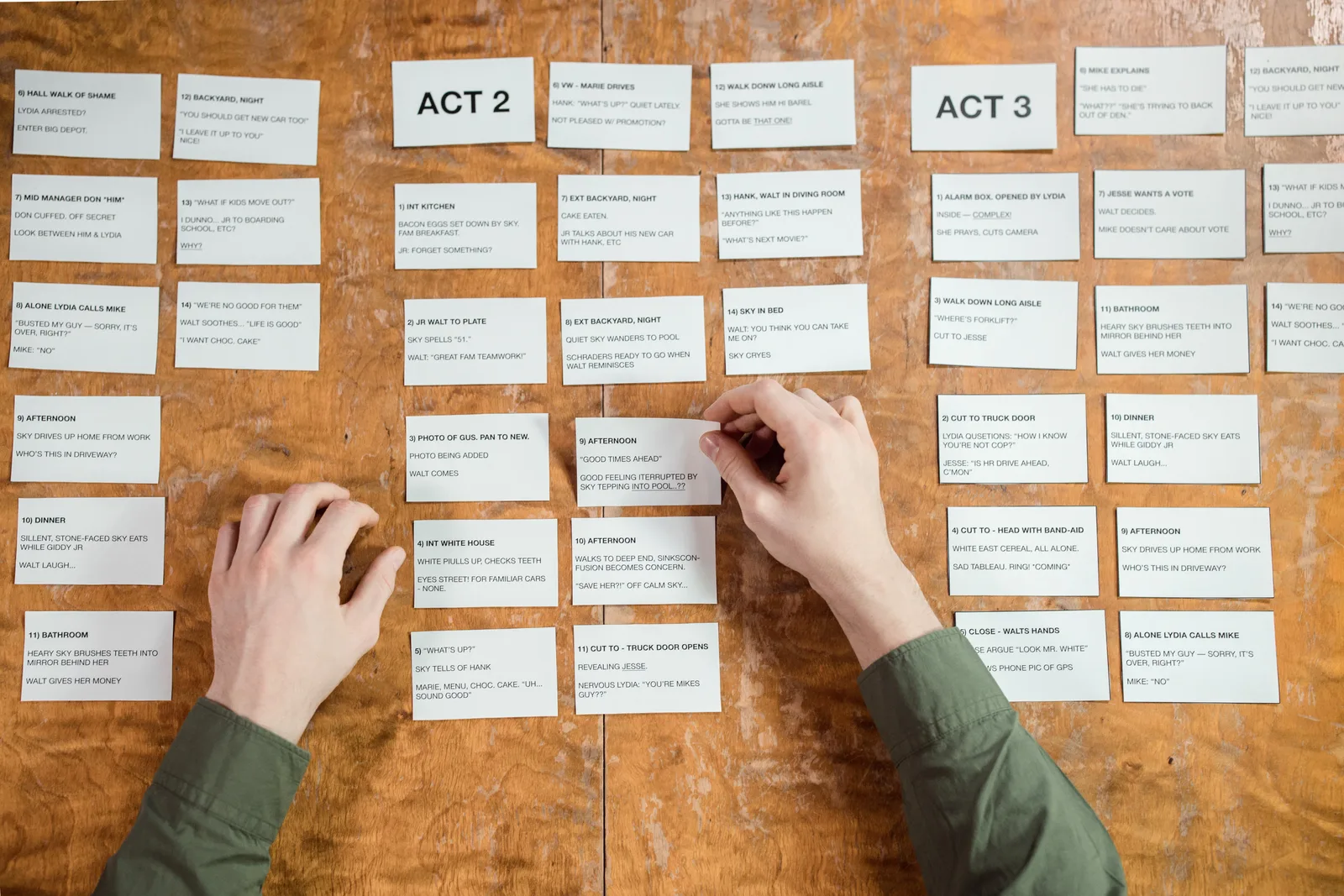
Make a storyboard panel for each change the production team needs to understand. A rough sketch or written frame description is enough if it shows the subject, action and framing. Number the panels and place the relevant dialogue or sound beside them. Note when a label must be readable or an action must finish before the next shot.
Read the panels in order. Does the viewer see the subject before it is discussed? Is there a shot of the claimed result? Does an image suggest that a conditional result is guaranteed? Revise the script and panels together when an image changes a line’s meaning.
The storyboard identifies footage the video needs. A shot list can turn those needs into a capture plan. Location, crew and scheduling decisions need separate preparation; a panel does not establish that a shot is feasible.
Review for understanding
Check whether a viewer who cannot see or hear all the content can still understand the answer. Where colour, position or another sensory feature carries meaning, state the relevant information in words too; for example, identify an object by its size as well as its colour.
In the storyboard review, check for flashing content. W3C guidance says to avoid anything that flashes more than three times in any one-second period.
Video Accessibility Guidelines from W3C for Australian Creators
- Flash frequency limit
- Avoid flashes more than 3 times per second
- Pause recommendation
- Include pauses between topics for processing time and caption timing
- Text readability requirement
- Ensure on-screen text is legible and remains visible long enough to read
- Sensory redundancy
- State meaning in words if conveyed only through colour, position, or motion
Plan access and approval
Plan captions that accurately represent the final audio. Identify information carried only by the picture, such as a status change or on-screen condition, and work it into the spoken explanation where possible. If essential visual information cannot fit in the main audio, plan another description method and check what the intended player supports. Keep on-screen text readable and allow time to take it in.
Give reviewers the viewer question, script and numbered panels together. Ask them to mark factual errors, missing conditions and images the team cannot obtain. Resolve those points before polishing wording.
Record who approves the claims and which script version the storyboard represents. The handover should make clear what must be said, what must be shown and what must remain true after editing.
Captions are synchronised text for speech and the non-speech audio information needed to understand the video. Closed captions can be switched on or off in the player; open captions remain visible. Check that the intended player supports the caption approach in the handover.
Distinguish captions from translated subtitles when specifying the deliverable. Captions represent the spoken audio in the same language, while subtitles translate spoken audio into another language; translated subtitles are not, by themselves, an accessibility accommodation.
Captions vs. Subtitles: Key Differences for Australian Video Content
- PurposeCaptions represent spoken audio and non-speech sounds in the same language; subtitles translate audio into another language.
- AccessibilityCaptions are an accessibility accommodation; translated subtitles are not.
- VisibilityClosed captions can be toggled on/off; open captions remain visible.
- Use case in AustraliaRequired for compliance with ATO and ACCC advertising standards when content is accessible to the public.
In this guide
- Writing a product explainer without jargonTurn product terminology into a clear buyer question, accurate spoken explanation and visual proof without losing important limits.
- Turning a case interview into a clear storyShape a customer interview into a coherent video story while preserving the speaker’s meaning and checking each result claim.
- Planning a storyboard before booking a shootUse a rough storyboard to expose missing footage, unclear claims and visual access needs before committing to a business video shoot.